


Shields, private and Tor windows
Block trackers on every site, browse without a trace, or route a window through Tor.
Shields
Shields blocks ads and trackers on every site with Ghostery's open-source engine and filter lists, which refresh weekly. Settings, Shields shows how many requests were blocked and which sites have Shields off.
- To turn Shields off for one site, use the shield button in the toolbar, or add the site in Settings.
- Turn on Global Privacy Control in Settings, Privacy and security to ask sites not to sell or share your data. Halo then sends the
Sec-GPCsignal with every request. - Shields and Global Privacy Control currently apply to normal windows only, not private or Tor windows.

Private windows
Open one with ⇧ ⌘ N (Ctrl Shift N).
- History, cookies, site data, cache and form entries live in memory and are deleted when you close the window. Nothing syncs to your account.
- Site permissions are asked every time and never remembered.
- Autofill offers nothing and saves nothing.
Private windows with Tor
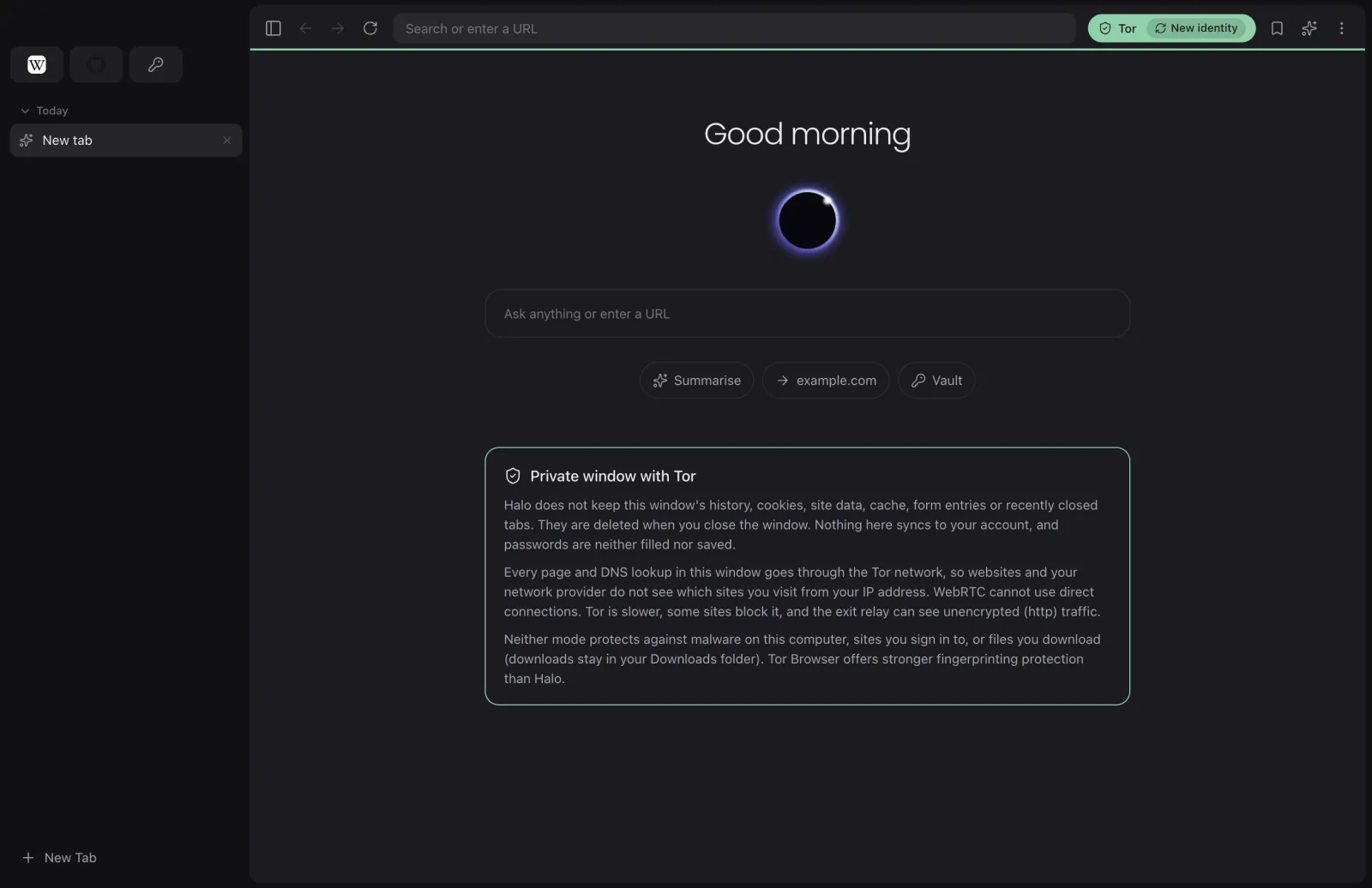
Open one with ⌥ ⇧ ⌘ N (Ctrl Alt Shift N). A Tor window is a private window that also sends every page and DNS lookup through the Tor network, so websites and your network provider do not see which sites you visit from your IP address.
- The first time, Halo downloads Tor from the Tor Project, verifies the PGP signature of the release checksums against the Tor Browser signing key, then checks the archive's SHA-256.
- WebRTC cannot make direct connections, so it cannot leak your address.
- New identity in the toolbar gives you a fresh Tor circuit.
- The Tor process has no control port and exits when Halo exits.
What these modes do not do
Neither mode protects against malware on your computer, hides what you do on sites you sign in to, or removes files you download. Tor is slower, some sites block it, and the exit relay can see unencrypted (http) traffic. Tor Browser offers stronger fingerprinting protection than Halo; use it when you need the strongest anonymity.
Halo AI and Halo Cloud
Halo AI and Halo Voice run on your computer. When Halo AI cannot finish a task on its own and Halo Cloud is on (Settings, Halo AI), the request and the page text it needs are sent to Halo Cloud, run by Synquic on Amazon Web Services, to answer. Synquic does not store it. Turn Halo Cloud off to keep every request on your computer. Private and Tor windows never use Halo Cloud.
Clearing data and permissions
Settings, Privacy and security lets you clear browsing data and review the permissions you have given sites (camera, microphone, location, notifications and others).